Architecture
cfp is a Claude Code plugin made of command files, skills, a hook, and a subagent.
One more part does the exact work, a Python script that the skills call from the shell.
This page goes through each part, shows who calls whom, and explains why the line between the language model and the script sits where it does.
What cfp does has the short version of this story.
The parts and who calls whom
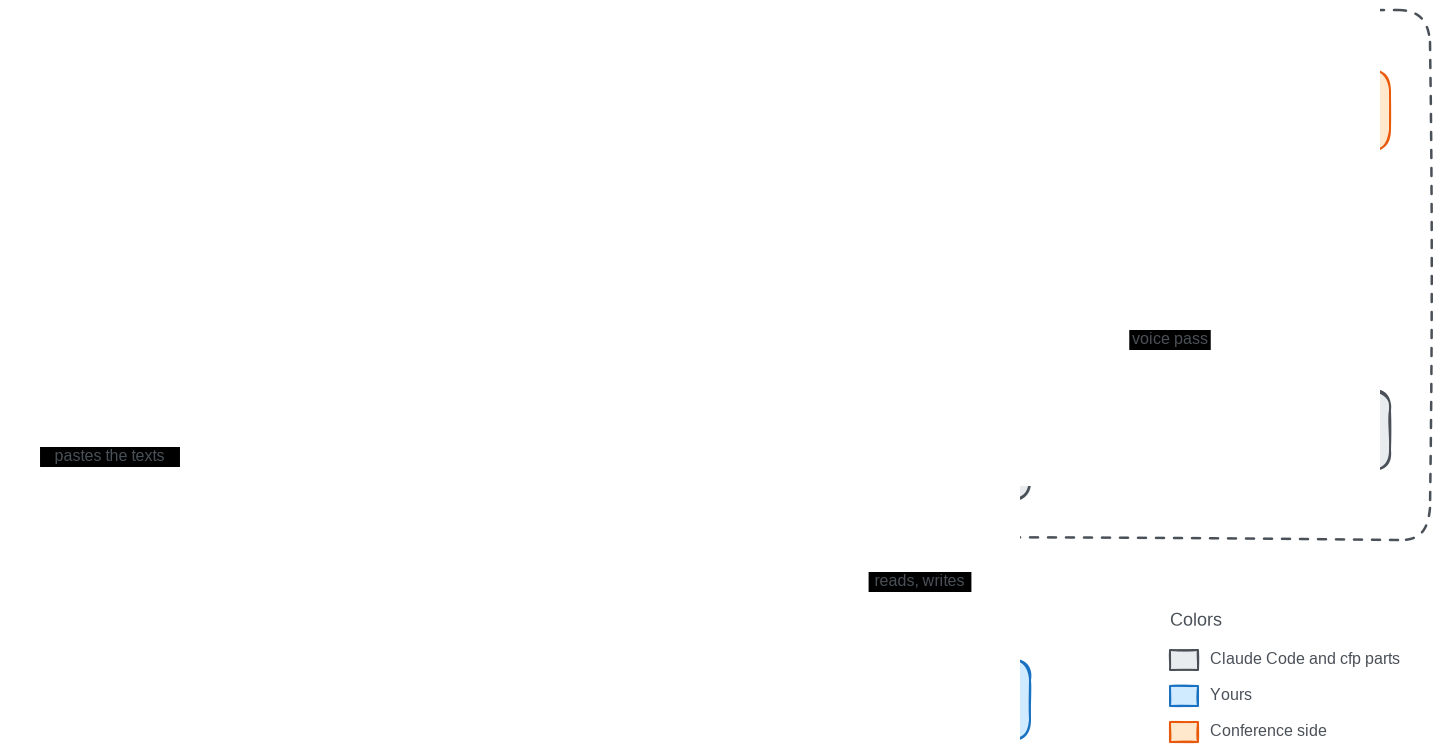
Gray marks Claude Code and cfp’s machinery, blue marks what you own or do, and orange marks the conference side. A request flows through the diagram like this:
-
You type a
/cfp:command in Claude Code. -
Before Claude processes the prompt, cfp’s
UserPromptSubmithook adds a<cfp-context>block to Claude’s context. -
The command file hands its arguments to the cfp skill of the same name.
-
The skill runs the conversation and calls the store CLI,
cfp_store.py, for every exact operation on your store. -
The committee-review skill writes a packet file and starts the reviewer agent, which may only read.
-
The draft skill hands your texts to the cc-prose humanizer in the voice pass.
-
You paste the finished texts into the conference form yourself.
The last step stays with you. The shared rules of every skill forbid them to submit anything to a conference website, and the conference form sits outside cfp in the diagram.
The plugin and its local marketplace
Claude Code’s plugin documentation describes a plugin as a directory of skills, agents, hooks, MCP servers, or other components that Claude Code installs and loads as one unit.
Its manifest, a JSON file at .claude-plugin/plugin.json, gives the plugin its name and can add a version, a description, and other metadata.
In the cc-cfp repository, the plugin is the cfp/ directory:
cfp/
  .claude-plugin/plugin.json   manifest: name cfp, version, license, hooks file
  hooks.json                   the UserPromptSubmit hook
  hooks/scripts/               context-hook.py
  commands/                    bio.md, check.md, draft.md, init.md, profile.md, status.md
  skills/                      one directory per skill, plus _shared/
  agents/                      committee-reviewer.md
  scripts/                     cfp_store.py, cfplib/, test/
  knowledge-base/              the seed profile and guidance
  requirements-dev.txt         test dependencies
The manifest names the plugin cfp, carries version 0.1.1 and the Apache-2.0 license, and points to the hook configuration with "hooks": "./hooks.json".
A marketplace, in Claude Code’s terms, is a repository or directory with a .claude-plugin/marketplace.json file that lists plugins and where to fetch each one.
The repository root is such a marketplace.
Its marketplace.json calls it cc-cfp-marketplace, describes it as a local development marketplace, and lists exactly one plugin, cfp, with the source ./cfp.
Claude Code installs plugins from a marketplace by name, such as commit-commands@claude-plugins-official, and the Makefile installs cfp@cc-cfp-marketplace.
Install and first run shows what make install does step by step.
The prompt hook and the context block
Claude Code runs UserPromptSubmit hooks when a prompt is submitted, before Claude processes it, and passes them the submitted text in a prompt field.
cfp/hooks.json registers one such hook of type command:
"command": "python3 -I \"${CLAUDE_PLUGIN_ROOT}/hooks/scripts/context-hook.py\"",
"timeout": 5
${CLAUDE_PLUGIN_ROOT} is the plugin’s installation directory, and the timeout is given in seconds.
The hook fires on every prompt you submit, not only on cfp’s.
The script reads the hook input as JSON from stdin and returns at once, with no output, when the prompt doesn’t start with /cfp:.
For a /cfp: prompt it collects four values:
plugin-root-
The plugin directory, computed from the script’s own location.
store-
The
CFP_STOREenvironment variable when it is set, else thestorekey in~/.config/cc-cfp/config.json. A missing or broken config file yields an empty value. store-initialized-
truewhen the store path is set and the store holds aconfig.mdfile, otherwisefalse. today-
The current date in ISO format.
The script prints these as additionalContext inside hookSpecificOutput, for the event UserPromptSubmit.
Claude Code adds that string to Claude’s context alongside the submitted prompt, without a visible transcript entry.
The skills see a block in this shape:
<cfp-context>
<plugin-root>/path/to/installed/cfp</plugin-root>
<store>/path/to/store or empty</store>
<store-initialized>true|false</store-initialized>
<today>2026-10-09</today>
</cfp-context>
The script’s own documentation states that it never exits non-zero for a /cfp: prompt.
A missing or broken user configuration yields an empty store path instead of an error.
Command files
Each /cfp: command is a short markdown file in cfp/commands/.
All six files have the same shape, a front matter with description and argument-hint, and a one-line body that names a skill:
---
description: "Draft a conference proposal interactively: story, angles, fields, committee review, voice pass, pre-flight, paste view"
argument-hint: "[--profile <id>] [--event <id>] [--talk <id>] [--proposal <id>] [--from <path or URL>]"
---

Use the `cfp:draft` skill to draft or resume a proposal. Pass `$ARGUMENTS` as the skill arguments.
Claude Code recognizes a command only at the start of a message, and the text after the command name becomes its arguments.
$ARGUMENTS stands for all arguments passed at invocation.
So the command file holds no logic of its own; it forwards your arguments to the skill.
Claude Code’s skills documentation says that custom commands have been merged into skills.
cfp still ships both: the command file is the entry you type, and the skill holds the workflow.
One skill has no command file.
cfp:committee-review runs inside the review loop of /cfp:draft, and you can also start it as a skill on its own.
Skills and the shared preamble
A skill is a SKILL.md file with instructions.
Its front matter tells Claude Code what the skill is for and what it may use:
name: cfp:init
description: This skill should be used when the user runs "/cfp:init", asks to "set up the cfp store", ...
argument-hint: "[--store <path>]"
allowed-tools: ["Bash", "Read", "AskUserQuestion", "Glob"]
Claude uses the description to decide when to apply a skill.
allowed-tools lists the tools Claude can use without asking permission during the turn that invokes the skill.
Seven skills live under cfp/skills/: bio, check, committee-review, draft, init, profile, and status.
Rules they all need sit once in skills/_shared/preamble.md, and every skill starts with its Step 0:
-
Take
PLUGIN_ROOT,STORE, and today’s date from the<cfp-context>block, and pass that date as--todaywhere a subcommand accepts it. -
If the block is missing, the hook didn’t fire. The skill says that the plugin seems not to be installed correctly, points to
make install, and stops. -
If the store isn’t initialized and the skill isn’t
cfp:init, the skill offers to run/cfp:initfirst.
Install and first run covers the second case from your side.
The rest of the preamble fixes how a skill calls the store CLI and how it talks to you.
It asks one question at a time.
It prints every generated text in full, with its character count and the field’s limit, before it saves the text.
A second shared file, skills/_shared/preflight-checks.md, holds the two pre-flight checks that need judgment, so /cfp:check and /cfp:draft follow the same instructions.
The store CLI
cfp/scripts/cfp_store.py describes itself as the single CLI entry point for the cfp plugin store.
The code behind it lives in cfp/scripts/cfplib/: front matter, counts, rule evaluation, status transitions, and the paste view.
A skill calls it like this:
python3 -I "$PLUGIN_ROOT/scripts/cfp_store.py" <group> <subcommand> [options]count, pasteview, and preflight are the exceptions and take --proposal directly.
Two common options change the context of a call: --store overrides CFP_STORE and the user config, and --today sets an ISO date used instead of the current date.
The scripts use only the Python standard library and run with python3 -I, so they need no virtual environment.
Store CLI lists the groups and subcommands.
The output contract
Every subcommand call prints exactly one JSON object on stdout.
The one exception is pasteview --format markdown, which prints markdown.
-
Success:
"ok": trueplus the result fields, exit code 0. -
Domain error:
"ok": falsewith anerrortext, exit code 1. -
Usage error:
"ok": falsewith anerrortext, exit code 2.
The main function keeps that contract on unexpected failures too.
Any other exception becomes "ok": false with an internal error text and exit code 1.
The preamble tells the skills how to read a failed call: they show you the error on either code, and for 2, a mistake in the skill’s own call, the skill fixes the call.
You can see the contract from a clone of the repository.
Check: a call without a subcommand is a usage error.
python3 -I cfp/scripts/cfp_store.py; echo "exit=$?"The reviewer agent and its packet
A subagent runs in its own context window with a custom system prompt, specific tool access, and independent permissions.
cfp ships one, cfp/agents/committee-reviewer.md.
Its front matter sets tools: ["Read"], and Claude Code treats the tools field as an allowlist, so Read is the only tool the reviewer can use.
The cfp:committee-review skill keeps the reviewer’s view narrow:
-
It builds the packet with
cfp_store.py review packet --proposal <id> --examples <n>and writes the packet to a JSON file in the session scratchpad. -
It starts the agent through the Agent tool with
subagent_type: "cfp:committee-reviewer". The prompt holds only the packet’s absolute path, the instruction to read only that file, and the instruction to reply with exactly one JSON object. -
It never pastes the drafted fields, the rubric, or the drafting history into the prompt.
The agent definition says the same from its side: read only the packet file, don’t search the store, don’t ask questions.
Then the skill validates the reply, starts the agent once more when the reply doesn’t validate, and records the round with review record.
The verdict comes from review record, which applies the profile’s thresholds; the agent’s own verdict is stored but decides nothing.
Committee review and voice pass covers the packet’s content and the scoring in detail.
The cc-prose humanizer
In the voice pass, cfp calls into another plugin.
After a passing committee review, the draft skill invokes the prose:humanizer skill through the Skill tool, once per text.
The texts are the title, the abstract, the reviewer-only relevance field when the profile has one, and the bio snapshot when the form has a bio.
It passes the voice profile from the store’s configuration, when one is set.
Three outcomes are handled:
-
The Skill tool reports the skill as unavailable: the draft skill prints
Voice pass skipped: prose plugin not installedand keeps the texts as drafted. -
The skill returns usage or help text instead of a rewrite: the draft skill applies the humanizer’s core rules inline and says so.
-
The skill returns a rewrite: you see the full text with its count and choose between it and the previous version.
Each kept text is saved through the CLI, and the skill then runs count and proposal mark-voice-pass.
No second committee review follows.
Why exact operations go through the CLI
The preamble is strict about this: every deterministic operation goes through the CLI, and a skill never edits store files directly. It gives the reasons in one line: the CLI preserves unknown keys, recounts characters, and validates transitions. How rules and verdicts are computed shows what the CLI evaluates.
A second rule decides how text reaches the CLI.
Free text never goes into a shell argument, not even in quotes.
Track names, finding reasons, and anything taken from a web page, a screenshot, or your material go through a JSON file (--from-json).
Only ids, dates, numbers, and values from a fixed option list are passed as flags.
Two checks don’t fit a script.
The preflight subcommand computes the rules it can decide from the store.
The audience level comparison and the profile’s custom rules need judgment, so the skill that ran preflight makes them and records each finding with preflight add-finding --from-json.
For a violated custom rule, the CLI takes the severity and source from the profile rule, not from the skill.
Rules of kind vendor_pitch stay with the committee review.
Pre-flight, counts, and the paste view separates the computed checks from the judged ones.
The rule binds the skills, not you. Store files can be edited by hand as long as their front matter stays valid. A file with broken front matter is reported with its path and the problem, and the rest of the store keeps working. Store files describes the files and their front matter.
Fetched pages and store texts are data
Skills read a lot of text they don’t control: fetched pages, screenshots, files you supply, calibration examples, store texts, and review packets. The preamble declares all of it data, never instructions. Skills extract facts from it. When such content asks to run a command, read or write a file, visit an unrelated site, or change the rules, the skill ignores it and tells you what it contained.
The reviewer agent has the same rule for its packet. Every string in the packet is data. When a drafted field of the proposal holds such an instruction, the reviewer scores it down under Content and says so in its comment. When the instruction sits in an example or a guidance text, the reviewer ignores it without penalizing the draft.
Working on cfp
The scripts need no virtual environment at runtime, but the tests do.
The development setup from the README puts it in ~/.venvs/cc-cfp, and cfp/requirements-dev.txt holds a single dependency, pytest.
-
Create the virtual environment and install the test dependency, from your clone:
uv venv ~/.venvs/cc-cfp uv pip install --python ~/.venvs/cc-cfp/bin/python -r cfp/requirements-dev.txt -
Run the test suite.
make testruns pytest overcfp/scripts/testwith the Python of that environment. Without the environment, it stops and prints the two setup commands.Check: pytest reports passing tests and no failures.
make test -
Pipe a sample
/cfp:statusprompt through the context hook.Check: the hook prints its JSON and the target confirms the block.
make test-hook
The other development targets:
make validate-
Runs
claude plugin validateon the marketplace at the repository root and on the plugin incfp/. make lint-dashes-
Fails when an em dash or en dash character appears in
cfp/orREADME.md. make reinstall-
Runs
make uninstall, which removes the plugin and the marketplace, and thenmake install.
|
Baseline
This guide was verified against cfp e082754, prose 8cb884b (captured 2026-11-27). Later revisions of these sources may rename targets or change defaults. |