Store files
Your store is a folder of markdown files, each with YAML front matter. This page goes through the files one type at a time: where each one sits, which front matter keys it has, and which body sections cfp reads. It ends with the rules for ids, the YAML subset the parser understands, and what happens when you edit a file by hand and get the front matter wrong. For what talks, proposals, and profiles mean, start with Using cfp.
The layout
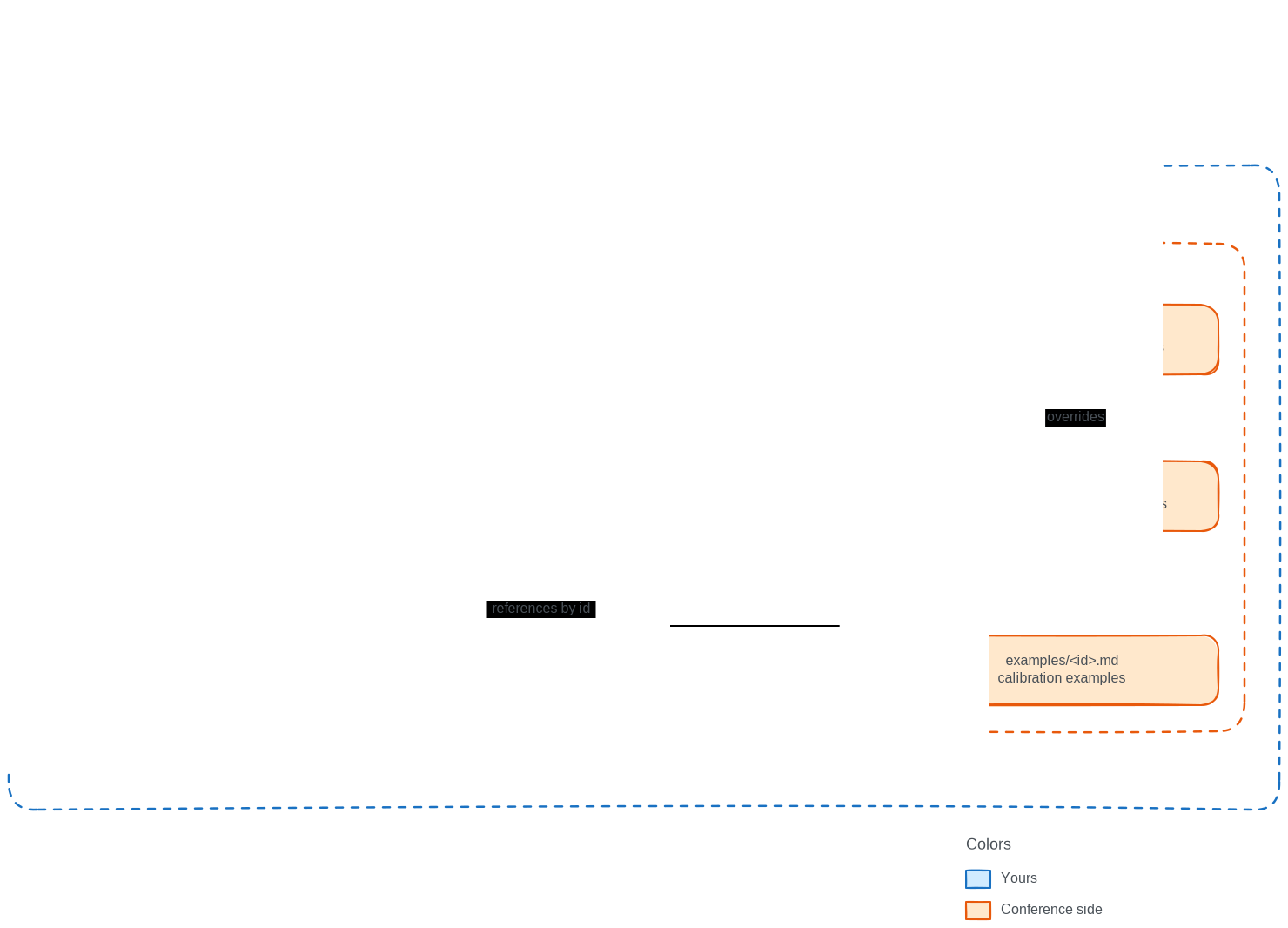
The README lists the layout like this:
<store>/
  config.md                      speaker name, company, voice profile, review rounds, default profile
  profiles/<family>/profile.md   session types, form fields with limits, rubric, rules, rejection reasons
  profiles/<family>/events/*.md  per-edition overrides: dates, tracks, submission limit, session type variations
  profiles/<family>/examples/*.md calibration examples (accepted texts, official samples)
  talks/<talk>.md                the conference-independent story
  proposals/<event>--<talk>.md   one talk rendered for one event, with review rounds and pre-flight results
  bios/<name>.md                 bio variations
  resources/<id>.md              speaker resources
config init, the CLI call behind /cfp:init, creates the store folder, the five folders profiles, talks, proposals, bios, and resources, and config.md.
cfp finds the store through the user config ~/.config/cc-cfp/config.json, which holds {"store": path}.
--store on a CLI call and the CFP_STORE environment variable both take precedence over that file.
Install and first run covers that file and the variable.
Several arrows in the diagram are plain ids in front matter.
A proposal names its talk, its profile family, and its event.
It stores the name of the bio variation you chose and the ids of the resources you picked.
cfp merges an event file’s overrides onto its family’s profile.md; How profiles work explains that merge.
Two arrows are writes that a status change triggers: accepted adds a calibration example to the profile family, and presented adds an outing to the talk.
File shapes
Every store file starts with YAML front matter between two --- lines.
The body after it is split into sections at ## ` headings.
The plugin ships a template for seven of the eight file types under `cfp/knowledge-base/templates/; config.md has none, and its defaults live in the code.
The excerpts below are short.
Profile and event schema has the full key list of the profile and the event.
config.md
config.md holds the speaker settings.
Its front matter has five keys; Ada Example’s file looks like this:
---
speaker_name: Ada Example
speaker_company: Example Corp
voice_profile: ""
review_rounds: 3
default_profile: kubecon
---speaker_name, speaker_company, voice_profile, and default_profile default to an empty string, and review_rounds defaults to 3.
review_rounds is read as an integer; a value that doesn’t parse as one falls back to 3.
When cfp creates config.md, the body is empty, and a body you add later survives rewrites.
One more key is optional, speaker_gender, and you add it by hand; the README explains when the pre-flight check needs it.
Profile: profiles/<family>/profile.md
A profile describes one conference family: its session types, form fields with limits, rubric, rules, and rejection reasons. The template’s front matter has these top-level keys:
id: profile-id
name: Conference Family Name
platform: sessionize
approved: false
seed_version: ""
sources: []
session_types: [...]
submission_limit:
selection_limit: ""
fields: [...]
rubric: {scale_max: 5, pass_average: 4.0, pass_min_criterion: 3.0, criteria: [...]}
rules: []
rejection_reasons: []
bio_on_form: true
bio_limit:
bio_limit_status: unverified
The […] marks the lists that the excerpt shortens.
Each entry under fields describes one form field:
  - id: title
    label: Title
    required: true
    kind: text
    limit:
    limit_status: unverified
    source: ""
    audience: public
    guidance: ""
The code fills a missing key from its defaults: approved: false, the rubric thresholds shown above, bio_on_form: true, and bio_limit_status: unverified, among others.
The body has two sections, Drafting guidance and Notes.
When cfp writes a profile, it adds whichever of the two is missing.
How profiles work covers what the fields, the rubric, and the approval flag do.
Event override: profiles/<family>/events/<event>.md
An event file holds one edition’s dates and its overrides of the family profile. The template’s front matter:
id: event-slug
profile: profile-id
name: Conference Edition Name
location: ""
event_start:
event_end:
cfp_open:
cfp_close:
cfp_close_timezone: ""
notification:
approved: false
sources: []
tracks: []
submission_limit:
session_type_overrides: []
field_overrides: []
The body has one section, ## Notes, and cfp adds it when it writes an event file without one.
Calibration example: profiles/<family>/examples/<id>.md
A calibration example is an accepted text or an official sample for a profile family.
Its front matter has id, profile, event, year, origin, proposal, and added.
origin defaults to manual.
The body sections are Title, Abstract, Benefits, and Why it worked; cfp writes the last one only when it has a text for it.
When a proposal is set to accepted, cfp writes an example with the proposal’s id as id and in proposal, and with origin: own-accepted.
It copies the Field: title and Field: abstract sections into Title and Abstract, and the profile’s relevance field into ## Benefits.
Talk: talks/<talk>.md
A talk is the conference-independent story behind your proposals. Its front matter, filled in for Ada Example’s talk, with the other keys at their defaults from the code:
---
id: safe-node-drains
title: Safe Node Drains
status: active
created: 2026-10-02
updated: 2026-10-02
personas: []
projects: []
resources: []
outings: []
source_material: []
---
The body holds five story sections, in this order: Problem, Contribution, Takeaways, What is new, and ## Story notes.
talk write rejects any other section name in its input, but it keeps a section you added by hand and writes it after the five.
talk complete reports a talk as complete when all five sections have text and personas isn’t empty.
Each entry in outings is a map.
When a proposal is set to presented, cfp appends one with the keys event, family, date, link, and kind, where kind is presented.
talk write refuses an outing whose date is set but isn’t in the form YYYY-MM-DD.
Proposal: proposals/<event>--<talk>.md
A proposal is one talk rendered for one event. This excerpt of Ada Example’s practice proposal shows the front matter keys from the code’s defaults, with the long values shortened:
---
id: kubecon-eu-2027--safe-node-drains
talk: safe-node-drains
profile: kubecon
event: kubecon-eu-2027
session_type: session
track:
audience_level:
angle:
status: draft
created: 2026-10-02
updated: 2026-10-02
submitted_on:
decided_on:
presented_on:
ready_on:
bio_variation: short-cloud-native
resources: []
co_speakers: []
co_speaker_genders: []
voice_pass: false
review_rounds: []
review_stale: false
preflight: {}
---

## Field: title

...

## Field: abstract

...

## Field: value_to_community

...

## Bio

...
The template under cfp/knowledge-base/templates/ lacks review_stale, which the code includes in its defaults and writes when it creates a proposal.
The body holds the texts you paste into the form.
Each form field gets a section named Field: ` plus the field’s id, so the KubeCon profile’s fields `title, abstract, and value_to_community become Field: title, Field: abstract, and Field: value_to_community.
Bio holds the bio snapshot.
When you choose a bio variation, cfp stores its name in bio_variation and copies its text into Bio, so later edits to the variation don’t reach the proposal.
resources holds resource ids; when the form has a field with the id resources, cfp also writes one Title: link line per resource into Field: resources.
When cfp saves a field text, the bio snapshot, a settings change, a review round, or a pre-flight result, it orders the body again.
The field sections come first, in the order of the effective form (the profile with the event’s overrides), then field sections the form doesn’t list, then ## Bio, then any other section.
Bio: bios/<name>.md
A bio file holds one bio variation:
---
name: short-cloud-native
emphasis: cloud-native
target_length: 500
updated: 2026-10-02
chars: 412
---

Ada Example is a ...
The body is the bio text itself, in plain text without headings.
bio write counts the characters of the text into chars and sets updated on every write.
Resource: resources/<id>.md
A resource file records one speaker resource:
---
id: resource-slug
type: recording
title: Title of the recording, repository, blog post, or session
link: https://example.com/
date:
notes: ""
---
type is one of recording, repository, blog, session, publication, and other.
resource write refuses a resource without a title, a valid type, or a link.
The body is optional: when the input carries a description, cfp writes it as the body.
Ids and slugs
The id names the file (<id>.md), or for a profile its folder, and every id passes one check before cfp builds a path from it.
An id starts with a letter or a digit and continues with letters, digits, dots, underscores, or hyphens.
It may not contain ...
Anything else fails with invalid <what>: … (use letters, digits, hyphens), where <what> names the kind of id, such as talk id.
When you don’t give an id, cfp derives a slug from the title for talks and resources, and for calibration examples without a proposal. The slug rules:
-
Accented letters lose their accents, other non-ASCII characters are dropped, and the rest is lowercased.
-
Each run of other characters becomes one hyphen, and leading and trailing hyphens go.
-
The slug is cut to at most 60 characters.
-
An empty result becomes
item. -
When the slug is taken, cfp appends
-2,-3, and so on.
The collision check compares lowercased file names, so a new foo can’t overwrite an existing Foo.md on a case-insensitive file system.
The title Safe Node Drains gives safe-node-drains, and a second talk with the same title gets safe-node-drains-2.
A proposal id isn’t a slug.
It joins the event id and the talk id with two hyphens, so the talk safe-node-drains at kubecon-eu-2027 becomes kubecon-eu-2027—safe-node-drains.
cfp refuses to create a second proposal for the same pair and points you to --proposal to resume the first one.
The front matter subset the parser reads
cfp parses front matter with its own reader, which uses only the Python standard library and understands a subset of YAML.
The subset, as the module documents it:
-
scalars: strings, integers, floats, booleans, ISO dates (kept as strings), and null;
-
flat lists, lists of maps, and nested maps to any depth;
-
|and>block scalars, where a folded scalar keeps one newline per blank line; -
inline
[]and{}and simple inline lists.
A file must start with a --- line, and a second --- line must close the front matter.
Comments on their own line are skipped, and cfp doesn’t keep them when it rewrites the file.
An inline comment, whitespace followed by , is stripped after a plain scalar.
A without whitespace in front, as in a URL, stays part of the value.
After an inline list, the comment has to follow the closing bracket.
The writer refuses two things the reader would get wrong: a key the parser wouldn’t read back as the same key, and section text that contains a line starting with ` `. Such a line would split the section when cfp reads the file again, so the error tells you to use a deeper heading level or plain text instead. In the body, only ` ` headings start a section. Text before the first one is a preamble, which cfp keeps when it rewrites the body.
Writes are atomic.
cfp writes a hidden temporary file next to the target and renames it over the target.
When the target is a symlink, cfp resolves it first, so the real file receives the write.
When the target exists, the new file keeps its permission bits.
Editing by hand
You can edit any store file by hand as long as its front matter stays valid. The skills must not: the shared preamble forbids them to edit store files directly, because the CLI preserves unknown keys, recounts characters, and validates transitions. Architecture explains why exact operations go through the CLI.
A few things are worth knowing before you open a file in your editor:
-
A comment line in the front matter disappears the next time cfp rewrites that file.
-
Keep
` lines for section headings; inside a section’s text, use `#or deeper. -
In a proposal, a section you add keeps its text, but cfp moves it to the end of the body the next time it saves one of the changes listed above.
-
A section you add to a talk stays after the five story sections.
-
charsin a bio file goes stale after a hand edit to the text, butbio listandbio showcount the text again.
A file with broken front matter
A broken file doesn’t take the store down with it.
When cfp lists a folder, it parses each .md file on its own.
A file whose front matter doesn’t parse goes into a problems list with its path and the error, and the other files are listed as usual.
The error names the file and, where the parser knows it, the line: for example <path>:1: missing closing '---' for front matter or <path>:1: file does not start with '---' front matter.
The list subcommands of the CLI return that list next to their results, for example talk list as {"talks": […], "problems": […]}.
Pre-flight uses it too.
When it counts an event’s proposals against a submission limit, it skips proposal files that don’t parse.
If the count stays below the limit, it adds a warning that those files were not counted and names them.
You can watch this from a clone of the repository with a throwaway store.
-
Create a store folder with a minimal
config.mdand a talk whose front matter never closes:mkdir -p /tmp/cfp-broken-store/talks printf -- '---\nspeaker_name: Ada Example\n---\n' > /tmp/cfp-broken-store/config.md printf -- '---\nid: safe-node-drains\ntitle: Safe Node Drains\n\n## Problem\n' > /tmp/cfp-broken-store/talks/safe-node-drains.md -
List the talks of that store.
Check: the call succeeds, lists no talks, and reports the file under
problemswith the missing closing line.python3 -I cfp/scripts/cfp_store.py talk list --store /tmp/cfp-broken-store -
Remove the throwaway store:
rm -rf /tmp/cfp-broken-store
|
Baseline
This guide was verified against cfp e082754, prose 8cb884b (captured 2026-11-27). Later revisions of these sources may rename targets or change defaults. |